For Claude Code, Codex and Cursor

Prompt in.
Reel out.

ReelReady turns your AI assistant into a complete reel studio. Type one idea and get a ready-to-post 1080×1920 video, with the script, voiceover, animation, captions and sound design done for you.

Get ReelReady for $24.99 See how it works

$24.99one-time payment

No subscription · No watermark · You own every video

Three styles included

Pick a look. Any niche, any language.

Each reel below was made with ReelReady in a different style. Tap a video for sound.

Classic

A paper-and-accent-colour look with kinetic captions and your own cartoon presenter.

3D Explainer

“How it actually works” explainers, built in real 3D.

Illustrated

Real-looking places, products and food, drawn in a clean motion-design style.

Made with ReelReady

Real reels. One prompt each.

Every video below was scripted, voiced, animated, captioned and edited by ReelReady. Tap a video for sound.

Turbine Blades Why jet engine blades don’t melt
Bulletproof Vests How a few layers stop a bullet
Heat Treatments How the same metal gets harder
Gold in Your Phone Why old phones are worth mining

What it does

Every step of making a reel, handled.

Writes the script

Or uses yours. Hook, pacing and call to action are built in.

Voices it

Natural AI voices from ElevenLabs or OpenAI, or your own recording.

Animates every scene

Custom visuals invented for your topic, not stock templates.

Adds kinetic captions

Synced word by word to the voiceover.

Designs the sound

Whooshes, pops and hits, mixed under the voice.

Checks its own work

Reviews frames and motion, then exports an Instagram-ready MP4 and a post caption.

How it works
Set up once in 4 steps. Then one prompt per reel.

Set up once

About 10 minutes, only the first time
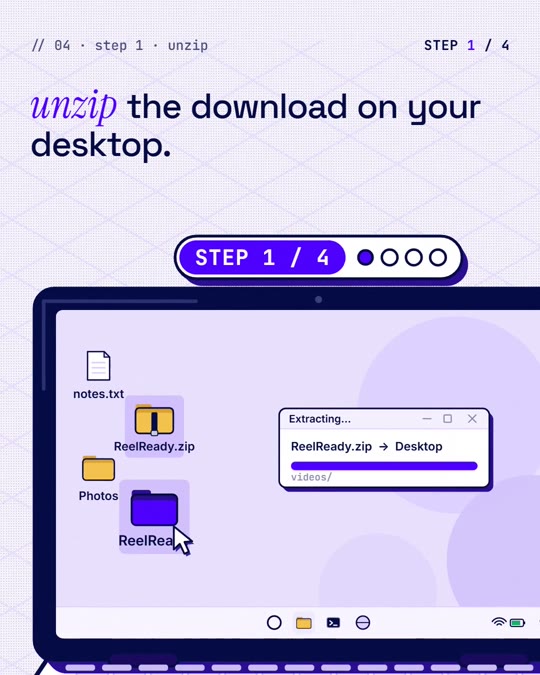
  1. Step 1 of 4: Unzip, from the ReelReady setup video
    Step 1 of 4 Unzip Unzip the ReelReady download on your desktop.
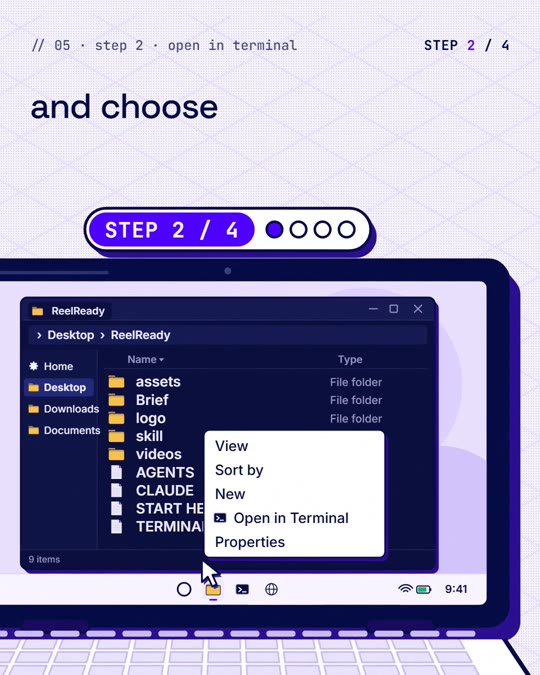
  2. Step 2 of 4: Open in Terminal, from the ReelReady setup video
    Step 2 of 4 Open in Terminal Right-click inside the folder and choose Open in Terminal.
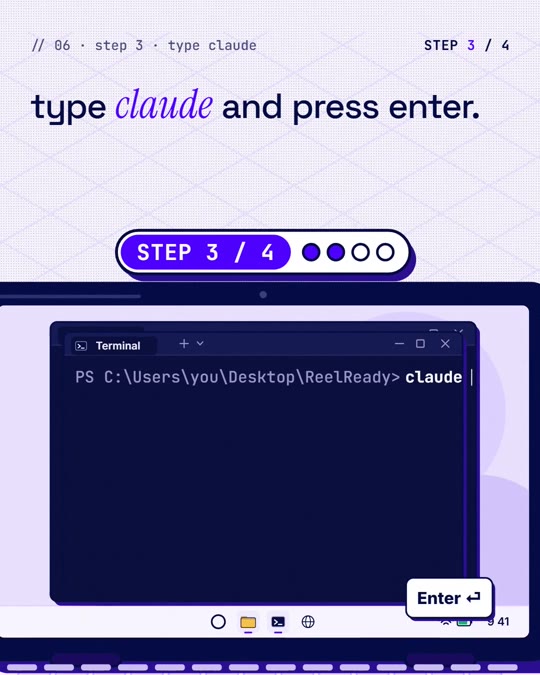
  3. Step 3 of 4: Type claude, from the ReelReady setup video
    Step 3 of 4 Type claude Type claude and press Enter.
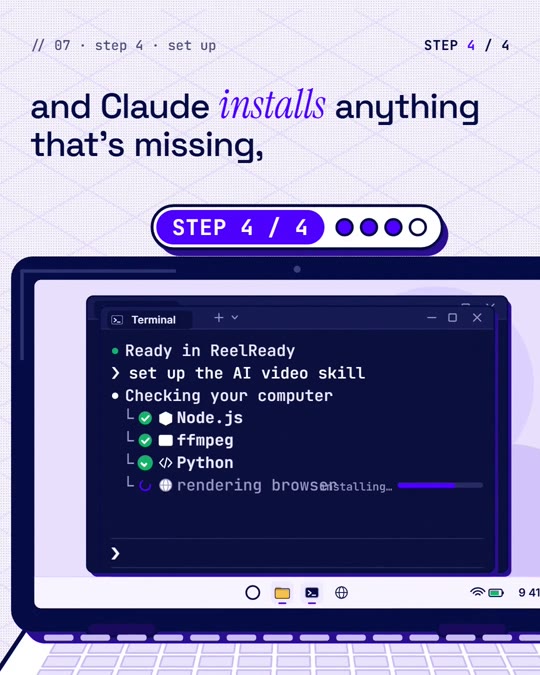
  4. Step 4 of 4: Say “set up the AI video skill”, from the ReelReady setup video
    Step 4 of 4 Say “set up the AI video skill” Claude installs anything that’s missing. You only do this once.

Before your first reel, activate the licence key from your receipt. It’s one command, shown in START HERE.
Every reel

One prompt in, an MP4 out
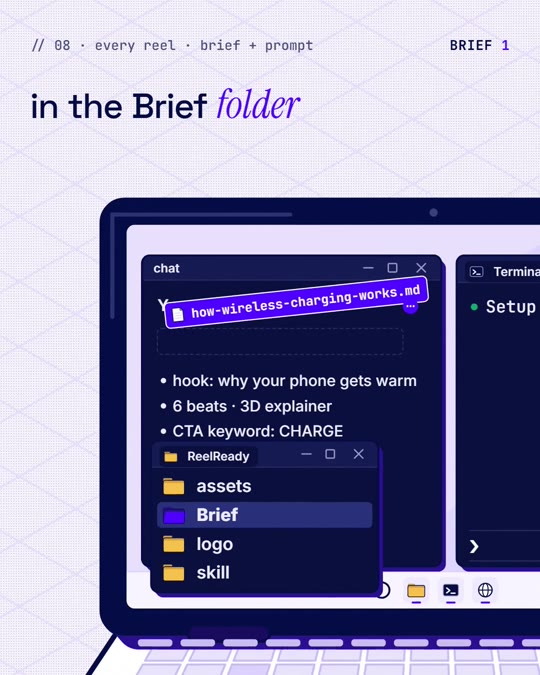
  1. Every reel: Save a brief, from the ReelReady setup video
    Every reel Save a brief Save your brief in the Brief folder.
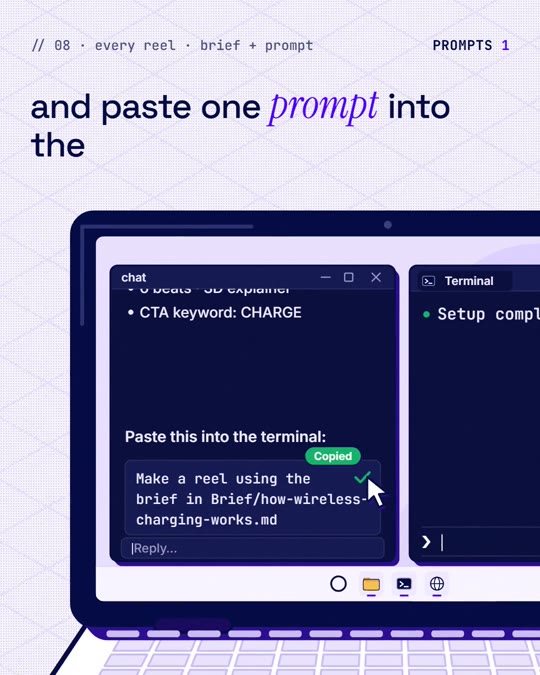
  2. Every reel: Paste one prompt, from the ReelReady setup video
    Every reel Paste one prompt Paste one prompt into the terminal.
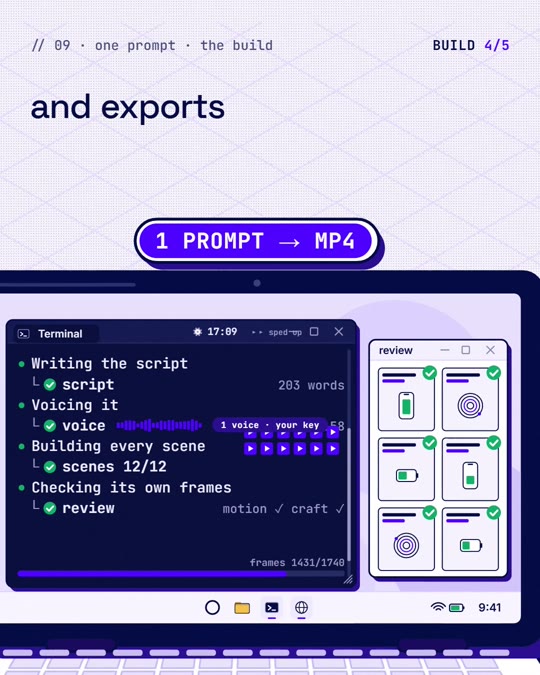
  3. Every reel: Claude builds it, from the ReelReady setup video
    Every reel Claude builds it It writes the script, voices it, builds every scene, checks its own frames and exports the finished reel.
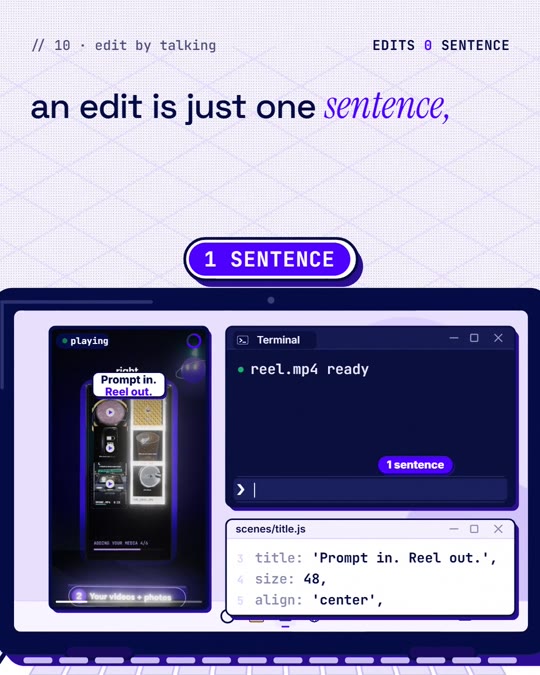
  4. Every reel: Edit with one sentence, from the ReelReady setup video
    Every reel Edit with one sentence Every scene is code, so a change is just one sentence, like “make the title bigger”.

Pricing

One payment. Unlimited reels.

No subscription from ReelReady. You only need your existing AI plan and an ElevenLabs account, which has a free tier.

What you need

  • A Windows or Mac computer: 8 GB RAM minimum, 16 GB recommended
  • An AI assistant plan: Claude Code (recommended), Codex or Cursor
  • A free ElevenLabs account for voices
  • Free tools that setup installs for you: Node.js, ffmpeg and Python

ReelReady

$24.99one-time

  • The full skill: engines, tools, scene library and style guides
  • Three styles: Classic, 3D Explainer, Illustrated
  • Step-by-step Start Here and Terminal Setup guides
  • Use it for your own videos and your clients' videos
  • No watermark, no attribution required
Buy on Gumroad

One licence key = one computer

FAQ

Questions, answered.

Do I need to know how to code?

No. You talk to your AI in plain English and it runs everything, including setup.

Are there monthly fees?

Not from ReelReady. You only need your existing AI plan and ElevenLabs, which has a free tier.

Does it render in the cloud?

No. Videos render on your own computer, so your content stays with you.

Can I make videos for clients?

Yes. Client work is included in your licence, and you own every video you make.

How long does one reel take?

About 30–80 minutes of hands-off AI work. ReelReady builds custom visuals scene by scene and reviews its own frames before the final render.

What if I change computers?

Each licence key works on one computer. Email support and your key will be reset so you can activate it on the new one.

Stop editing.
Start posting.

Your next reel is one prompt away.

Get ReelReady for $24.99